Tampilkan postingan dengan label 18. Tampilkan semua postingan

Create non adhoc hotspot on Fedora 18

Sabtu, 07 Juni 2014

This is a screenshot of my terminal after I started the hotspot
UPDATE 2: TO MAKE THE SCRIPT WORKING I INSTALLED DHCP! ALSO, I  CAN RECOMMEND ANOTHER TUTORIAL ABOUT CREATING A HOTSPOT! YOU CAN FIND IT HERE

UPDATE: I SAW A PROBLEM! I DONT KNOW YET WHY, BUT IF YOU RUN THE SCRIPT, THE ANDROID TERMINAL FIND THE NETWORK BUT WHEN TRYING TO CONNECT IT STOPS AT OBTAINING IP ADDRESS. ILL TRY TO FIND WHY THIS HAPPENS...
Ok, I installed Fedora 18 on my laptop, I can say that I returned to the Linux distribution that I always loved, and I found a problem. I didnt know how to create a non ad-hoc hotspot.
So I tried the method that worked for me on Ubuntu and about I wrote an article HERE and I found that also work on Fedora, with a few modifications.
I should post the modified code:


1. install hostapd and dnsmasq by typing sudo yum install hostapd dnsmasq
2. stop those services: sudo service hostapd stop and sudo service dnsmasq  stop
3. configure the dnsmasq.conf by typing sudo gedit (or other text editor) /etc/dnsmasq.conf:
# Bind to only one interface
bind-interfaces
# Choose interface for binding
interface=wlan0
# Specify range of IP addresses for DHCP leasses
dhcp-range=192.168.150.2,192.168.150.10
4. configure the hostapd.conf: sudo gedit /etc/hostapd/hostapd.conf
# Define interface
interface=wlan0
# Select driver
driver=nl80211
# Set access point name
ssid=myhotspot
# Set access point harware mode to 802.11g
hw_mode=g
# Set WIFI channel (can be easily changed)
channel=6
# Enable WPA2 only (1 for WPA, 2 for WPA2, 3 for WPA + WPA2)
wpa=2
wpa_passphrase=mypassword
5. create a bash file and paste the following code:
#!/bin/bash
Start
# Configure IP address for WLAN
sudo ifconfig wlan0 192.168.150.1
# Start DHCP/DNS server
sudo service dnsmasq restart
# Enable routing
sudo sysctl net.ipv4.ip_forward=1
# Enable NAT
sudo iptables -t nat -A POSTROUTING -o ppp0 -j MASQUERADE
# Run access point daemon
sudo hostapd /etc/hostapd/hostapd.conf
# Stop
# Disable NAT
sudo iptables -D POSTROUTING -t nat -o ppp0 -j MASQUERADE
# Disable routing
sudo sysctl net.ipv4.ip_forward=0
# Disable DHCP/DNS server
sudo service dnsmasq stop
sudo service hostapd stop
6. grant permissions and run the script!
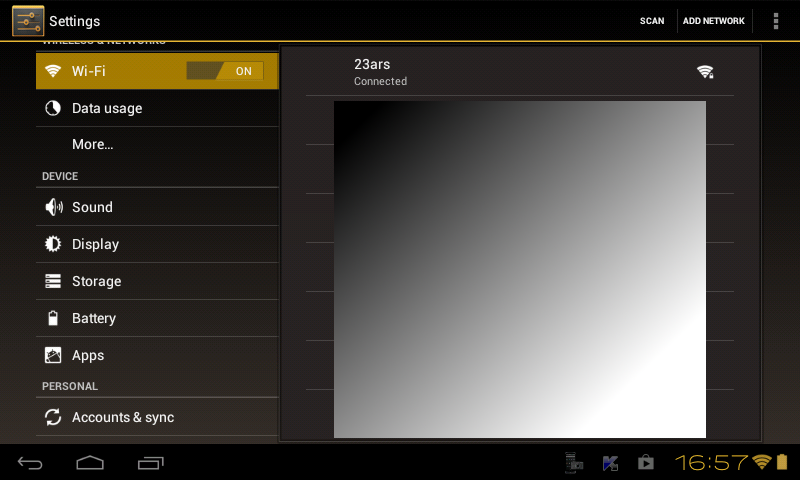
This is a screenshot from my tablet!


Read More..

Agenda Widget Plus v2 1 18

Minggu, 30 Juni 2013


Agenda Widget Plus v2.1.18
Requirements: Android OS 2.1 +
Overview: View Google events and tasks on the Android homescreen!

 Homescreen widget which allows you to show Calendars from:
 - Google including Activesync
 - Motorola Droid corporate calendar application(now obsolete)
 - Touchdown exchange

 Tasks:
 - Astrid
 - SSI gTasks
 - Dato GTask
 - Google Task Organizer (Full version)
 - Got To Do (Full version))

 You can also change the click action for events to open applications such as:
 - Jorte
 - Calendar Pad
 - Pocket Informant
 - Business Calendar
 - Calengoo

 Whats in this version:
 Fixed:
 Crash when configuring widget for first time on some devices
 Toolbar not updating date
 Background colors on devices running Android 2.2 and 2.3

https://play.google.com/store/apps/details?id=com.roflharrison.agenda.plus
Download Instructions:
http://ul.to/ohlahsyo

 Mirror:
http://datacloud.to/download/8b858bd/zgl0q2fy-apk
Read More..

Dropsync PRO v2 4 18 apk download

Sabtu, 29 Juni 2013


Requirements:- Android 1.5 and up
Overview:-
This is a license key to unlock PRO features in Dropsync app. Once the key app is downloaded and installed, PRO features will be unlocked. Please keep the free Dropsync app installed.
Keep your phone/tablet and your Dropbox in sync at all times. Rock-solid, battery efficient, full two-way(!) sync client for Dropbox.

FEATURES INCLUDE
? Full two-way sync. Just like Dropbox on desktop
? Instant upload: new files (for example photos) are uploaded to Dropbox immediately, no need to wait for the next autosync cycle
? Very efficient, consumes almost no battery if there is no change detected and will not slow down your phone either
? Very easy to set up. Once set up files will be kept in sync without any effort from users
? Works reliably under ever changing network conditions on your phone
? Monitors battery level, WiFi/3G/4G/WiMax connectivity and adapts its behavior according to user preferences
? Configurable autosync interval: 15 minutes, 30 minutes, every hour,...
? Tasker/Locale plugin to allow power users to define sophisticated sync schedules and conditions
? Compact code size, memory efficient, no fancy graphics, no useless animation. We have enough bloatware. Do one thing and do it best
Beware that there are many apps out there on the Market which claim doing sync but in fact what they do is one-way upload or download.
Dropsync provides the essential feature, two-way sync, which should be in the official Dropbox for Android since the beginning. For whatever reason it wasnt and still isnt. Now you have it.
If you are a serious Dropbox user and want more flexibility, please consider upgrading to PRO version.

PRO FEATURES INCLUDE
? Sync multiple folders
? Sync the whole Dropbox with a folder on your phone or tablet
? Upload files larger than 5 MB
? Smart Change Detection. Super fast method to determine file changes that need to be synced. The speedup is very significant, for example from 15 minutes down to under one minute for a few hundreds nested subfolders. Smart Change Detection takes advantage of instant upload monitoring service if its enabled. In case of no change on either side, the app will know immediately and go back to sleep after a second or so. Much more efficient use of battery and data network.
? No ads, of course

******************
Google Play Store
Cost:- $5.55 or Rs.299.99

Download Full Version Here:-

File size:- 1.1mb

Read More..

Root App Delete 6 8 18

Kamis, 27 Juni 2013


Download :

 
Current Version:
6.8.18
Requires Android: 1.6 and up
Category: Tools
v6.8.18 update:
* remove promotion of rate when quit app
* [rename function] recycler -> modify system app
* [rename function] recycler -> uninstall system app
* [improve performance] reduce memory cost
* [fix bug] junk folders can be deleted now Overview:
RootAppDelete is the best tool For rooted Android users.
It helps you freeze or uninstall system apps inside phone
It’s special:
* tiny,fast,especially fast for old phones with low memory
* “modify” MODE, change system apps before uninstalling
* can “Disable” backgroud system service, such as “google backgroud transport” and “contact sync service”
—————————————————-
Explanation of permissions:
“read phone state” and “internet” permissions are used to stat how many users are using my app, and when FC, I can get error report.
it’s just used to improve my app. If you still can’t accept, uninstall.
—————————————————-
compared to other uninstall tools in android market, it is much more better
for example, the app ” uninstaller ” is a very popular uninstall app in google play, it’s the smallest uninstall tool, simple and easy. But uninstall does NOT support rooted phones. Even you have root permission, you can NOT modify system apps inside your phone, which is very annoying.
the app ” app remover “, is another similar uninstall tool in google play, but app remover neither supports rooted phones.
the app ” system app remover “, is also a famous uninstall tool , and it does support rooted phones. But system app remover never give you any warnning before you uninstall a system app, which might be kernel file of your android phone. so it’s much safer to use ” root app delete ” than “system app remover ” in a rooted phone, especially for those new android users, who don’t quite understand the danger of uninstalling system apps with root permission.
compared to many other similar uninstall tools, you will find how useful and how safe this App is.
Guys, enjoy!
 
Read More..